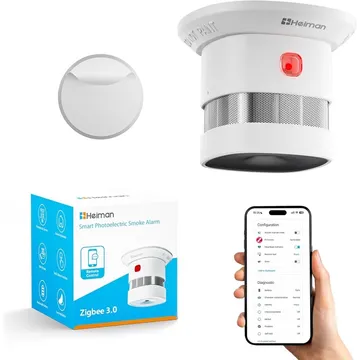
Heiman Smoke Sensor
A Zigbee smoke alarm for Home Assistant (ZHA), Zigbee2MQTT, deCONZ, Tasmota, ioBroker and Domoticz. Check the version: similar units use other radios.
Works with


Features
Features by hub: support differs between Apple Home, Home Assistant and others.
About
A Zigbee smoke alarm that reports smoke detection and low-battery status. Check the version; visually similar variants use other radios or no radio at all.
Pairing
About 2 minutes. Put the device into pairing mode first, then add it to your hub.
- Long press on the pinhole button till the test button starts to flash
- Go to Settings → Devices & services and open the ZHA integration.
- Choose Add device to start the scan.
- Pick the device when it appears, then assign it to an area.
- Long press on the pinhole button till the test button starts to flash
- Open the Zigbee2MQTT frontend and turn on Permit join for the coordinator.
- Wait for the device to appear in the Devices list.
- Rename it and assign it to a room.
- Long press on the pinhole button till the test button starts to flash
- Open Phoscon and go to Devices, then choose the kind of device.
- Start the search and keep the device close to the ConBee or RaspBee.
- Give the device a name when it appears.
- Long press on the pinhole button till the test button starts to flash
- Open the Zigbee for Domoticz interface and allow new devices to join.
- Wait for the device to appear, then give it a name.