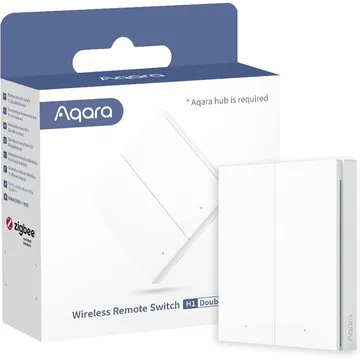
Aqara H1 Wireless Remote Switch (Double Rocker)
Zigbee remote switch that reports single, double, triple and hold or release presses. Works with Zigbee2MQTT, Home Assistant (ZHA), deCONZ and Domoticz.
Amazon UK · from £26.99 for Aqara H1 Wireless Remote Switch (Double Rocker) (opens in a new tab)Domadoo for Aqara H1 Wireless Remote Switch (Double Rocker) (opens in a new tab)Amazon DE for Aqara H1 Wireless Remote Switch (Double Rocker) (opens in a new tab)Alza for Aqara H1 Wireless Remote Switch (Double Rocker) (opens in a new tab)
Works with


Features
Features by hub: support differs between Apple Home, Home Assistant and others.
Actions
Button presses and controls that trigger automations on this device.
- Single
- Double
- Triple
- Hold
- Release
About
A wireless double-rocker switch that sends Zigbee events for single, double, triple and hold or release presses.
Pairing
About 2 minutes. Put the device into pairing mode first, then add it to your hub.
- Hold left rocker for 10s until LEDs start flashing
- Go to Settings → Devices & services and open the ZHA integration.
- Choose Add device to start the scan.
- Pick the device when it appears, then assign it to an area.
- Hold left rocker for 10s until LEDs start flashing
- Open the Zigbee2MQTT frontend and turn on Permit join for the coordinator.
- Wait for the device to appear in the Devices list.
- Rename it and assign it to a room.
- Hold left rocker for 10s until LEDs start flashing
- Open Phoscon and go to Devices, then choose the kind of device.
- Start the search and keep the device close to the ConBee or RaspBee.
- Give the device a name when it appears.
- Hold left rocker for 10s until LEDs start flashing
- Open the Zigbee for Domoticz interface and allow new devices to join.
- Wait for the device to appear, then give it a name.